
Change how answers look and sound
Choose the length, format, structure, and style of the answers InterviewStorm writes for you.
Help Center / During an interview
Choose the length, format, structure, and style of the answers InterviewStorm writes for you.
You can change how InterviewStorm writes answers. Open the app’s settings to find these options.
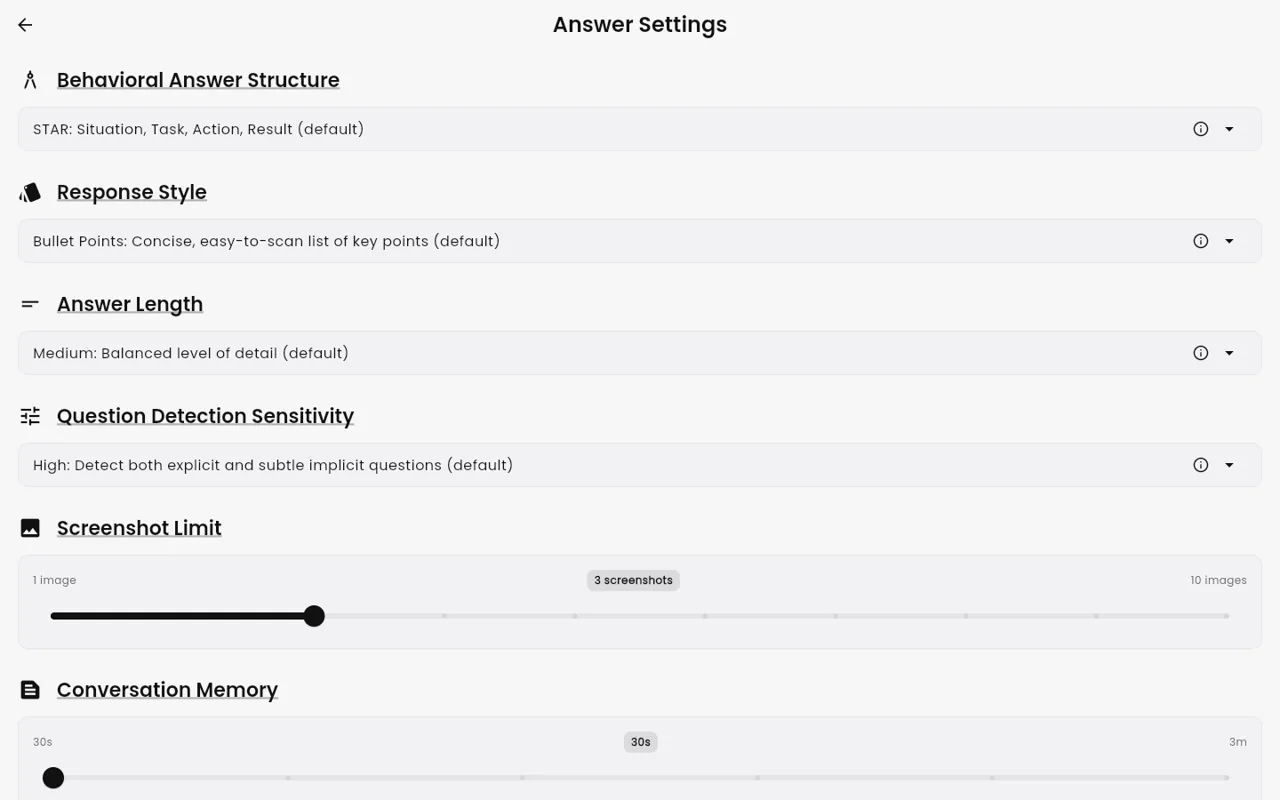
“Answer Length”
- Short: quick points you can say fast.
- Medium (default): a balanced answer.
- Long: more detail and examples.
”Response Format”
- Bullet points (default): short points that are easy to scan.
- Conversational: full sentences, like you are talking.
- Example-driven: answers built around a real example.
”Answer Structure”
This shapes stories for behavioral questions (questions about your past, like “Tell me about a time…”):
- STAR (default): Situation, Task, Action, Result.
- CAR: Challenge, Action, Result.
- SOAR: Situation, Obstacle, Action, Result.
- PAR: Problem, Action, Result.
- SOARA: Situation, Objective, Action, Result, Aftermath.
See System design and behavioral (STAR) answers.
”Custom Instructions”
Type your own wishes in plain words. The AI follows them in every answer. Examples:
- “Add filler words to sound natural”
- “Keep answers under 4 sentences”
- “Mention my cloud experience when it fits"
"Think”
Turn this on for hard questions. The app uses a slower AI that reasons more before it answers. It is off by default.
How questions are picked up
These settings change when the app answers, not how answers look:
- “Auto-answer questions”: on by default. Turn it off to answer only when you click “Assist”.
- “Question Detection”: Low, Medium, or High (default High).
- “Conversation Memory”: 30 seconds (default), 1, 2, or 3 minutes. Longer can be slower.
More in How questions are detected and answered.
Language
To choose the language of answers, see Interview language and answer language.
Tip
Change one setting at a time. Try it in a short practice session. Then keep what works for you.
Follow each employer’s interview rules. Do not use InterviewStorm in proctored tests, exams, or anywhere AI help is not allowed.